

Activity Logs
Activity logs provide a chronological audit trail of every action taken within a project. Every change — from adding a product subscription to revoking an API token — is recorded with the actor, timestamp, target, and IP address.
This feature is designed for compliance, incident investigation, and operational visibility. When you need to know who changed what and when, the activity log has the answer.
Viewing the Activity Log
Section titled “Viewing the Activity Log”Navigate to your project’s Activity Log page — open your project dashboard and click View Log in the Audit Log card. Project owners and admins can open it; plain members get a permission error. The log is displayed as a chronological table showing:
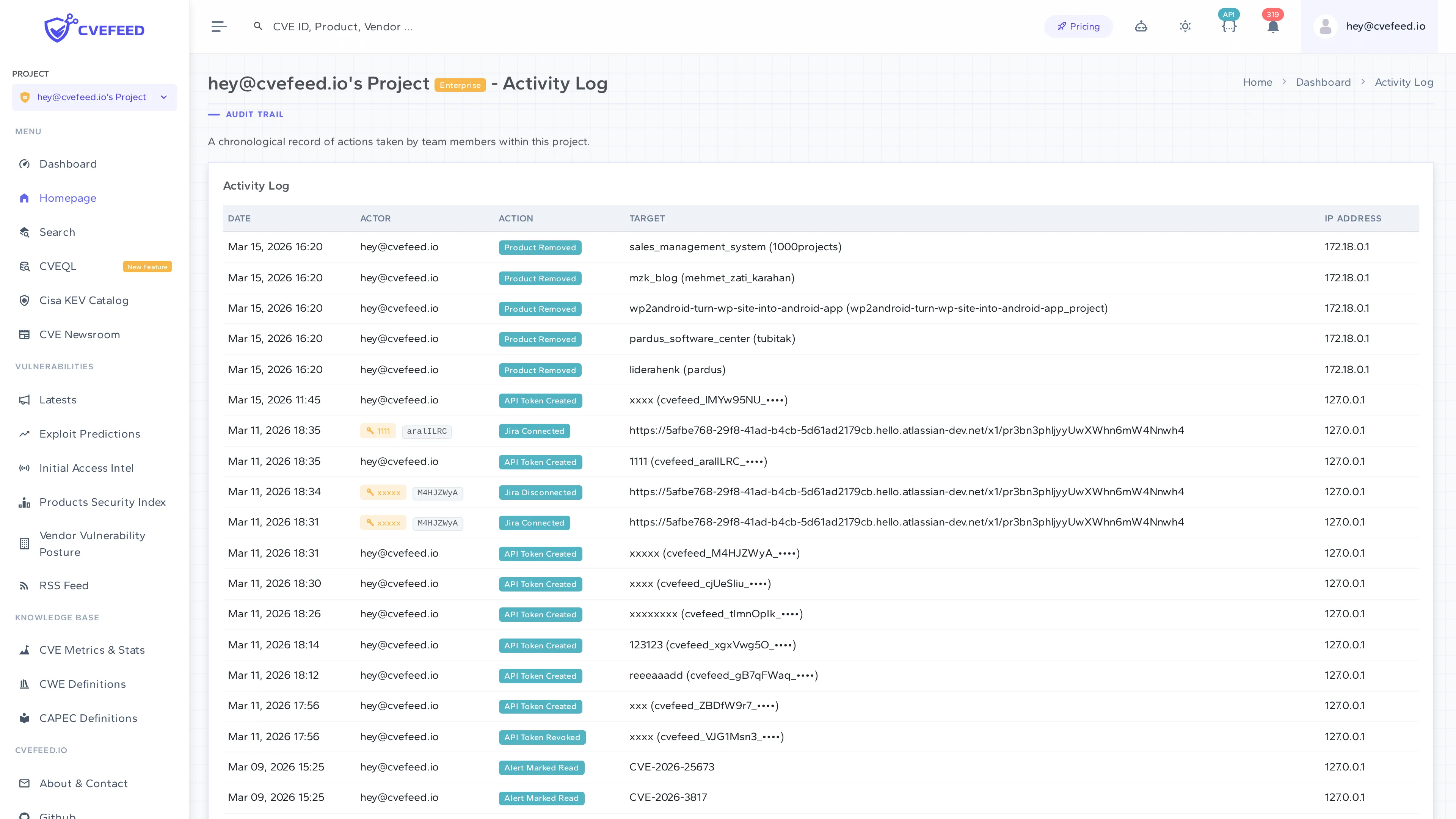
Each entry includes:
- Date — when the action occurred.
- Actor — which user performed the action (or the API token name and prefix if the action was performed via the API).
- Action — what type of action was taken (shown as a badge).
- Target — what was affected (e.g., product name, member email, token prefix).
- IP Address — the IP address of the request.
Availability
Section titled “Availability”Activity log records are always written regardless of your subscription tier — no data is lost. Viewing them requires two things: the project owner must be on the Enterprise tier, and you must be an owner or admin of the project. This is the same on both surfaces — the in-app page and the API — so anything you can read in the UI you can also read programmatically. Plain members are denied either way. API tokens are governed by the activity_log scope rather than by role.
| Tier | Logging | Viewing |
|---|---|---|
| Free / Starter / Pro | Records are written | Not accessible |
| Enterprise | Records are written | Owners and admins, in the UI and via the API |
This means if you upgrade to Enterprise later, your full history will be available retroactively.
API Access
Section titled “API Access”Activity logs can be retrieved programmatically:
GET /api/projects/{project_id}/activity-log/Requires the project owner to be on the Enterprise tier. Session-authenticated callers must be the project owner or an admin; API tokens need read access to the activity_log scope.