

Webhooks
Webhooks let you receive real-time vulnerability alerts as HTTP POST requests to your own endpoint. This enables custom integrations with SIEMs, ticketing systems, automation platforms, or any tool that can accept incoming HTTP requests.
Tier requirement: Pro or Enterprise
Setup
Navigate to your project’s Webhook Configuration page.
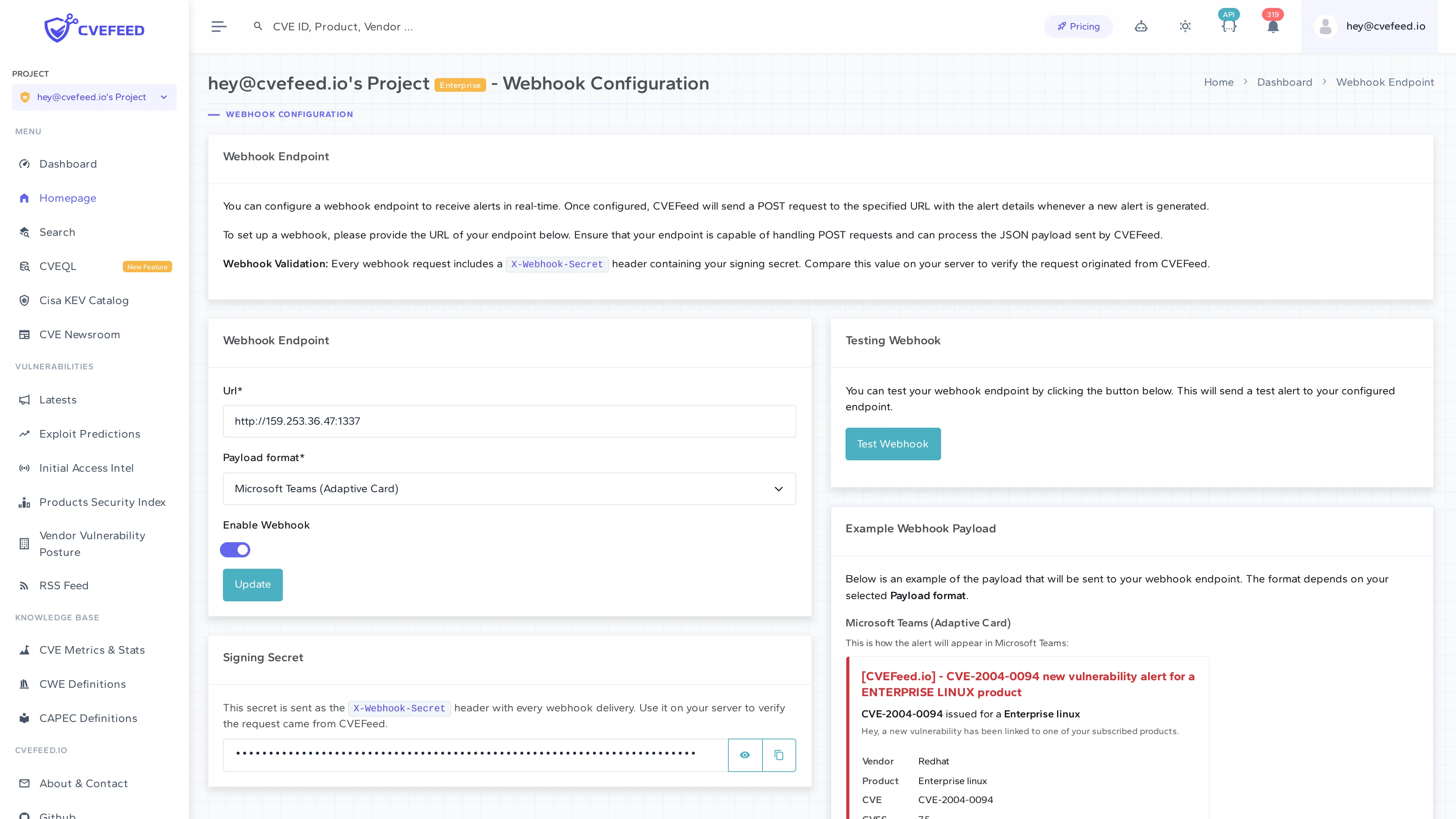
Configure the following:
- URL — the endpoint that will receive the POST requests. Must be capable of handling HTTPS POST requests and returning a response within a reasonable timeout.
- Payload format — choose between:
- JSON — generic JSON payload with full alert data.
- Microsoft Teams (Adaptive Card) — pre-formatted for Microsoft Teams incoming webhooks (see Teams integration).
- Enable Webhook — toggle to activate or deactivate the webhook without deleting the configuration.
- Click Configure to save.
Signing Secret
Every webhook endpoint is assigned a unique signing secret. This secret is sent with every request in the X-Webhook-Secret header. Use it on your receiving end to verify that incoming requests actually came from CVEFeed.io and haven’t been tampered with.
The signing secret is displayed on the configuration page — you can reveal, hide, and copy it to your clipboard.
Example JSON Payload
The configuration page shows an example of the payload format. A generic JSON webhook payload includes:
- Alert ID and project context (project ID, project slug).
- Read/unread status.
- Affected product details (product name, vendor name, IDs).
- Vulnerability details (CVE ID, title, description, published date, CVSS score, severity, status).
- Timestamp of the alert.
For ransomware-linked CVEs, the payload includes an additional field indicating the ransomware status change.
Testing
Click Test Webhook to send a sample alert to your configured endpoint. This lets you verify the connection and inspect the payload format before real alerts start flowing.
Delivery Reliability
- Failed deliveries are retried up to 5 times with 60-second delays between attempts.
- All delivery attempts are logged with the response status code, response body, success/failure flag, and timing — useful for debugging integration issues.