
Email Notifications
Email is the default notification channel in CVEFeed.io. When a new vulnerability alert is generated for one of your subscribed products, an email is sent to every verified recipient configured for the project.
Tier requirement: All tiers (Free, Starter, Pro, Enterprise)
Managing Recipients
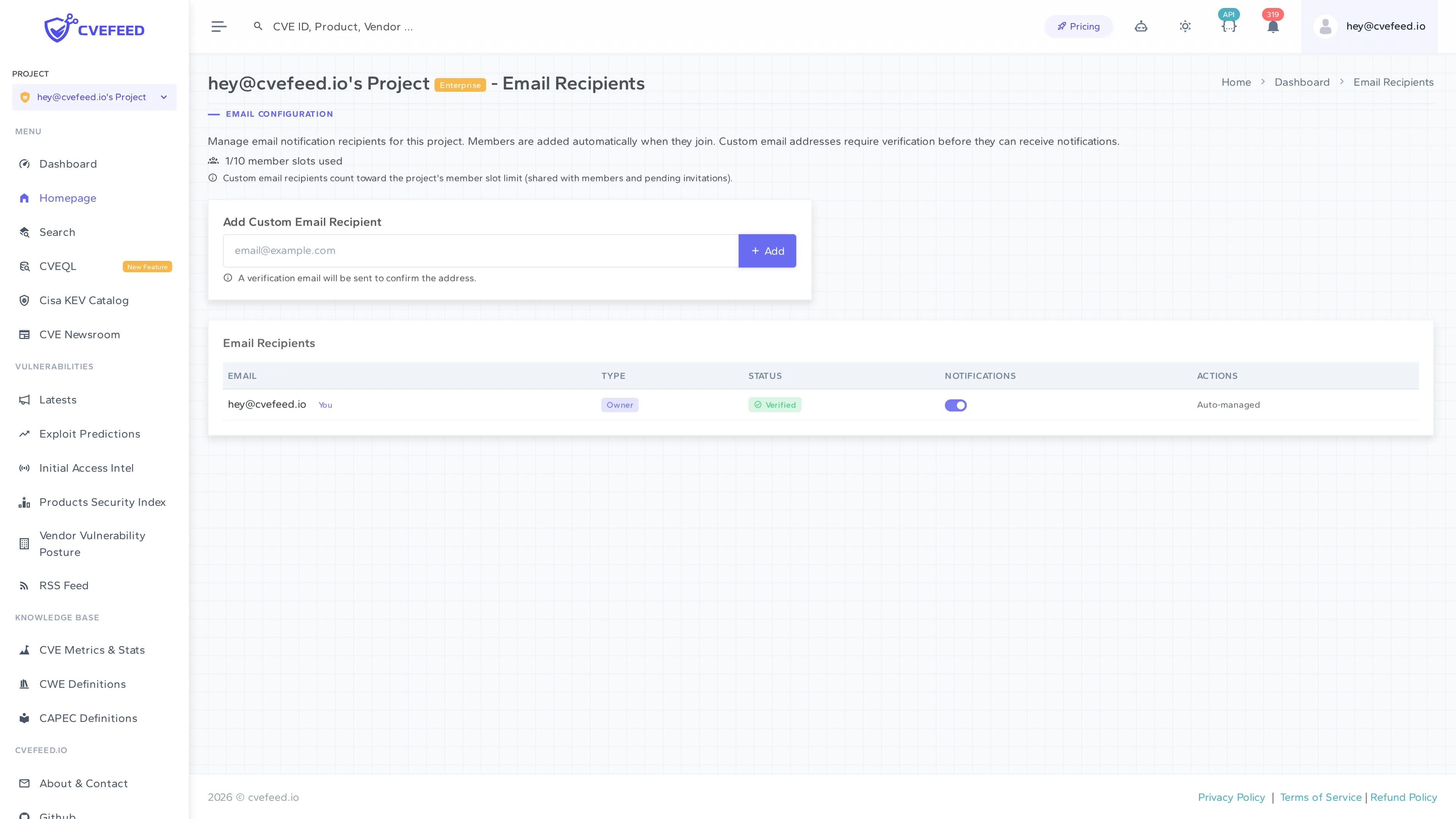
Navigate to your project’s Email Recipients page from the integrations section.
Automatic Recipients
Project members are automatically added as email recipients when they join the project. Their entry shows:
- Email — the member’s email address (with a “You” badge for your own email).
- Type — a badge showing their project role (Owner, Admin, or Member).
- Status — verification status (project members are automatically verified).
- Notifications — a toggle to enable or disable email alerts for that member.
- Actions — “Auto-managed” for project members (they can’t be manually removed from this list; remove them from the project instead).
Custom Email Recipients
Project admins and owners can add external email addresses that aren’t associated with project members. This is useful for sending alerts to shared mailboxes, security distribution lists, or colleagues who don’t need full project access.
To add a custom recipient:
- Enter the email address in the Add Custom Email Recipient field.
- Click + Add.
- A verification email is sent to the address. The recipient must click the verification link before they’ll receive any alerts.
Custom email recipients count toward the project’s member slot limit (shared with actual members and pending invitations).
Notification Toggles
Each recipient has a notification toggle. Turn it off to temporarily stop sending alerts to that address without removing the recipient entirely. Turn it back on to resume delivery.
Email Content
Each alert email includes:
- CVE ID and severity level in the subject line.
- Vulnerability description, affected product information, and CVSS score.
- Direct links to view the CVE and project alerts on CVEFeed.io.
Ransomware-linked CVEs receive a distinct email with different styling emphasizing the CISA confirmation of known ransomware campaign usage.
Deduplication
The same alert is never sent twice to the same email address. If a recipient has already received a notification for a specific CVE + product combination, it won’t be sent again even if the alert is re-processed.