
Your First Project
Everything in CVEFeed.io is organized around projects. A project is an isolated workspace where you track the software products your organization uses, receive vulnerability alerts, manage integrations, and collaborate with your team. Think of a project as a security monitoring scope — you might create one per product team, per client, or per environment.
Each project has its own subscriptions, alert rules, API tokens, and member list. This isolation means different teams can work independently without interfering with each other.
Create a Project
When you sign up, CVEFeed.io automatically creates a default project for you — named after your account name (e.g., “John’s Project”). This means you can start adding products and receiving alerts right away without any setup.
Navigate to My Projects from the sidebar or by clicking your project dropdown in the top-left corner. You’ll see your default project already listed along with a card to create a new one.
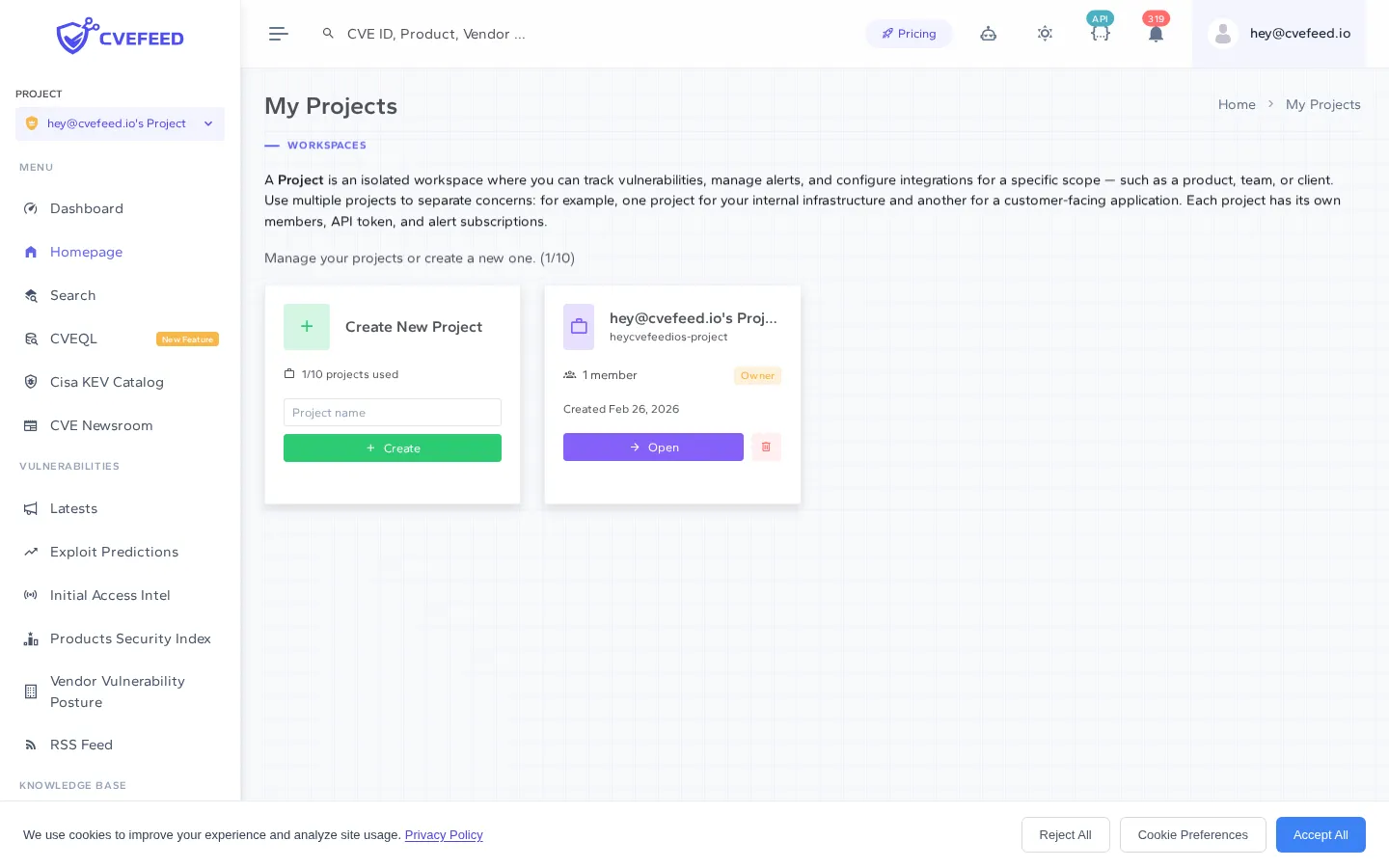
From here you have two options:
- Start using your default project — click into it and begin subscribing to software products immediately.
- Create a new project — if you prefer a different name or want to organize your work differently, you can delete the default project and create a fresh one.
To create a new project:
- Enter a name in the Project name field — use something descriptive like “Production Infrastructure” or “Client Portal”.
- Click + Create.
That’s it. Your project is created instantly and you’ll be taken to its dashboard.
Project Dashboard
The project dashboard gives you a high-level view of your security posture within this project. It shows your subscribed vendor and product counts, recent vulnerabilities affecting your stack, known exploited vulnerabilities (from CISA KEV), and your team members.
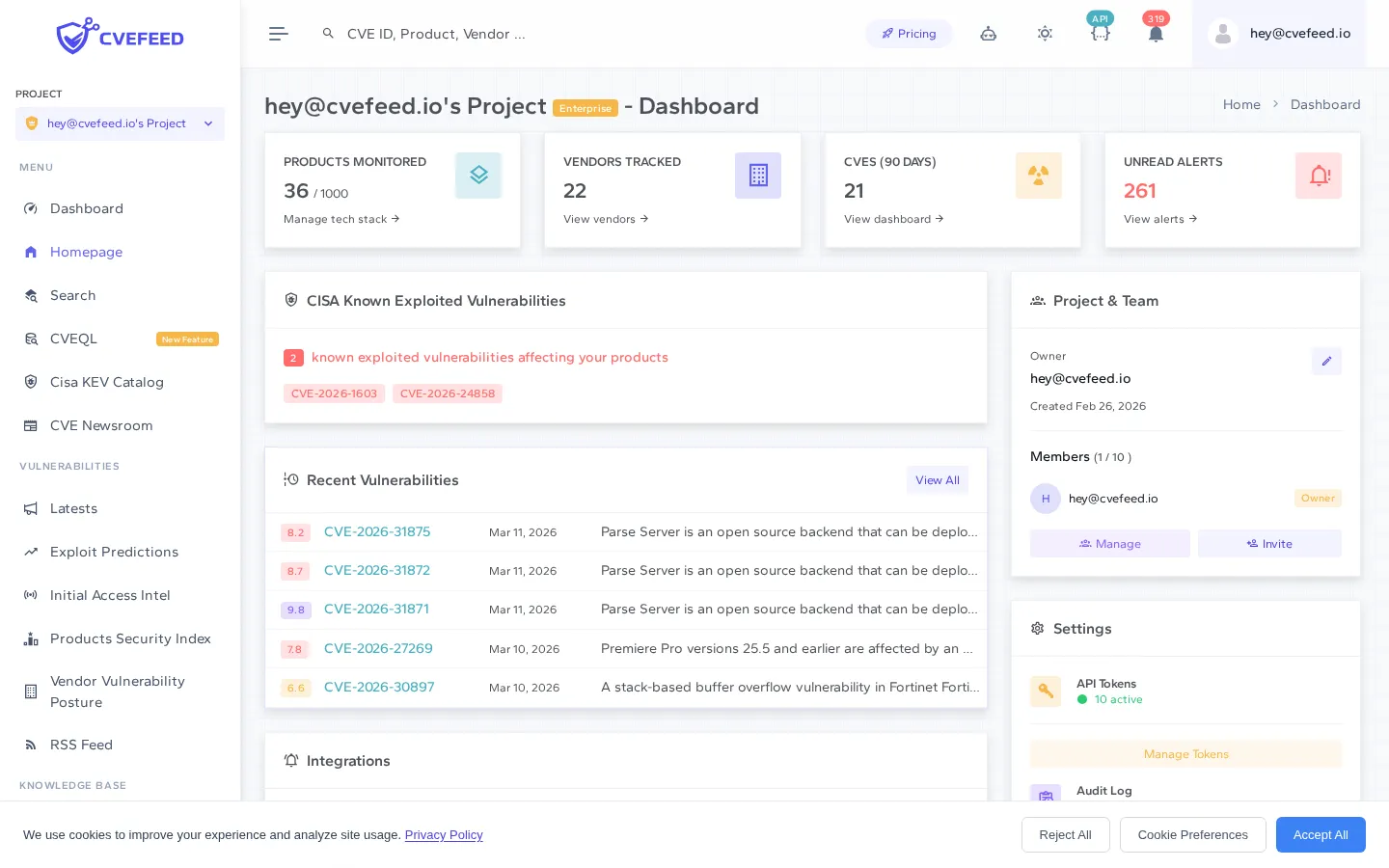
The sidebar on the left adapts to your project context, giving you quick access to the dashboard, tech stack management, search, and other platform features.
Subscribe to Software Products
The core of CVEFeed.io is product subscriptions. When you subscribe to a software product, CVEFeed.io automatically monitors for new CVEs that affect it and sends you alerts through your configured channels.
Navigate to Tech Stack Management from within your project to add products.
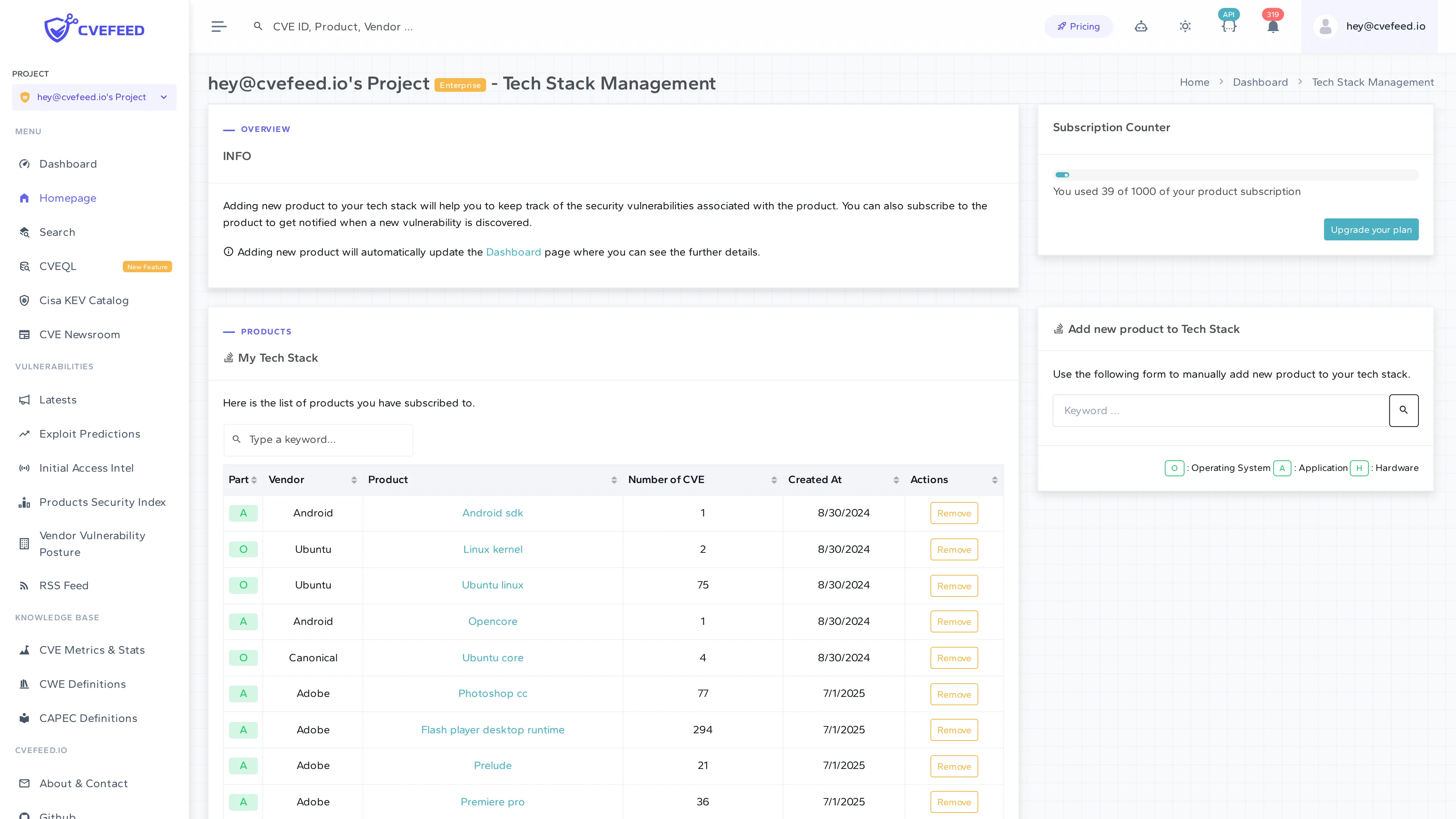
To subscribe to a product:
- Use the Add new product to Tech Stack form on the right side of the page.
- Search by vendor name (e.g., “apache”, “microsoft”, “linux”) — the autocomplete will help you find the right match from the CPE dictionary.
- Select the specific product (e.g., “http_server”, “exchange_server”, “linux_kernel”).
- Click Subscribe.
The product will appear in your My Tech Stack table. From now on, any new CVE published against that product will trigger an alert.
Subscription Limits
The number of products you can subscribe to depends on the project owner’s subscription tier. On the Free plan you get 10 subscriptions — enough to get started and see the value before upgrading. See Subscription Limits for a detailed breakdown of how limits work across projects.
What Happens Next
Once you’ve subscribed to products, CVEFeed.io works in the background:
- New CVEs that match your subscribed products generate alerts.
- Email notifications are sent to project members by default.
- If you’ve configured Slack, webhooks, Microsoft Teams, or Jira integrations, alerts are delivered there too.
- Your project dashboard updates with the latest vulnerability counts and details.
Next Steps
- Invite your team so everyone stays informed about new vulnerabilities.
- Configure alert channels to choose how notifications are delivered.
- Create an API token to integrate CVEFeed.io into your existing security toolchain.