

Vulnerability Monitoring
CVEFeed.io continuously ingests vulnerability data from various data sources and enriches it with exploit intelligence, EPSS scores, CISA KEV status, and CWE/CAPEC classifications. This gives you a single place to research, filter, and monitor CVEs across the entire public vulnerability landscape.
Latest CVE Feed
The Latest page shows vulnerabilities published in the last 30 days, sorted by publication date. You can quickly filter by tabs:
- Critical — show only critical-severity CVEs.
- Actively Exploited — show CVEs flagged in the CISA Known Exploited Vulnerabilities (KEV) catalog.
- Remotely Exploitable — show CVEs that can be exploited remotely without physical access.
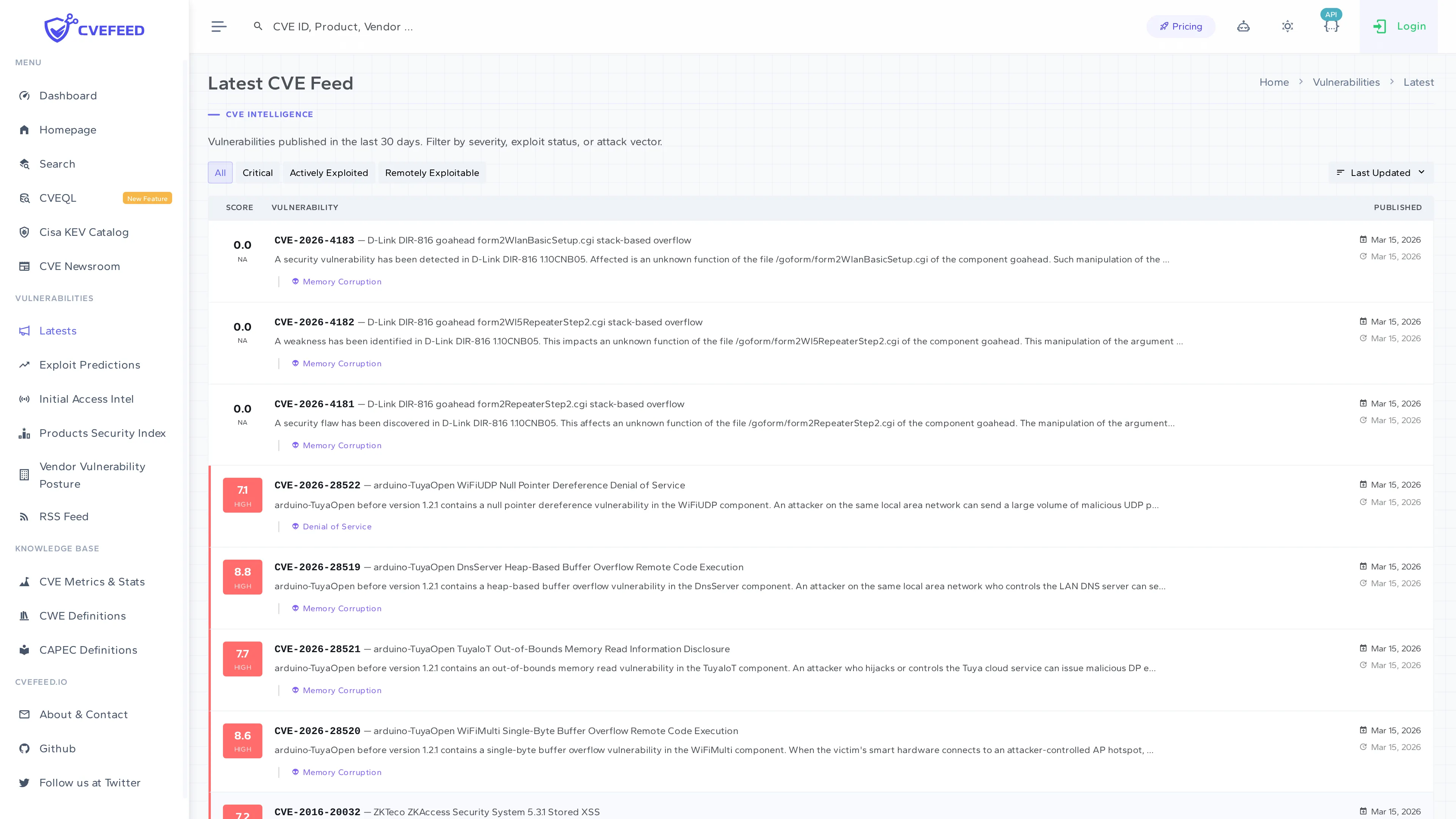
Each entry shows the CVE ID, CVSS score with color-coded severity badge, publication date, and a truncated description. Click any CVE to open its full detail page.
Vulnerability Detail Page
The detail page provides comprehensive information about a single CVE:
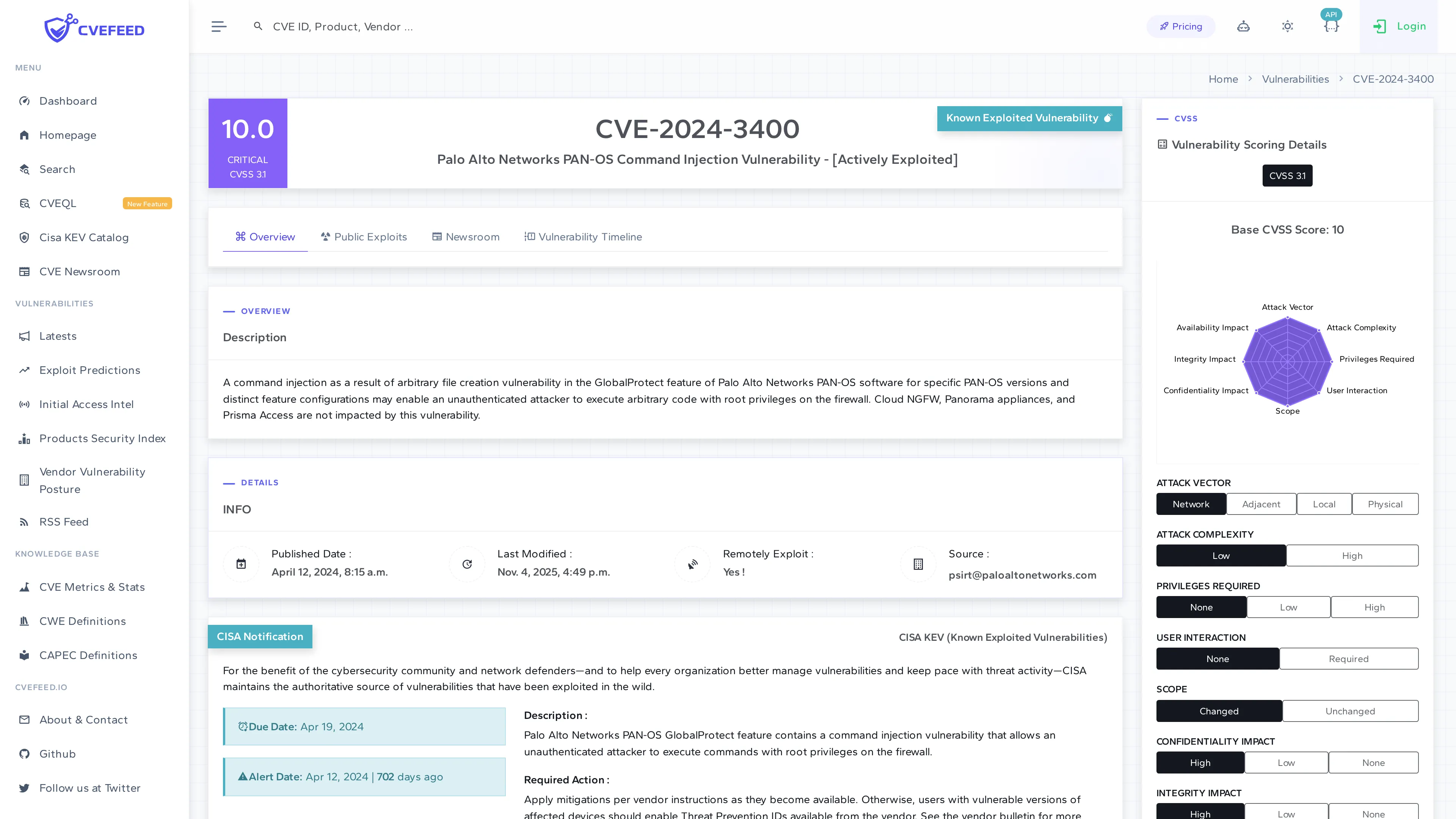
The page is organized into sections:
- Overview — CVE ID, description, publication and last-modified dates, source, and whether the vulnerability is remotely exploitable.
- CISA Notification — if the CVE appears in the CISA KEV catalog, this section shows the date it was added, the due date for remediation, and known ransomware campaign usage.
- Affected Products — a table listing every vendor and product affected by this CVE, with action buttons to add or remove each product from your Tech Stack (see below).
- CVSS Scores — all available CVSS scores (v2.0, v3.0, v3.1, v4.0) from multiple sources, including the attack vector breakdown.
- Solution — remediation guidance, including vendor advisory links.
- Vulnerability Scoring Details — a radar chart visualizing the CVSS attack vector metrics (attack complexity, privileges required, user interaction, etc.).
Affected Products — Subscribe from CVE Detail
The Affected Products table on each CVE detail page lists every vendor/product combination impacted by the vulnerability. If you’re logged in and have an active project, each row includes an action button to add that product directly to your Tech Stack.
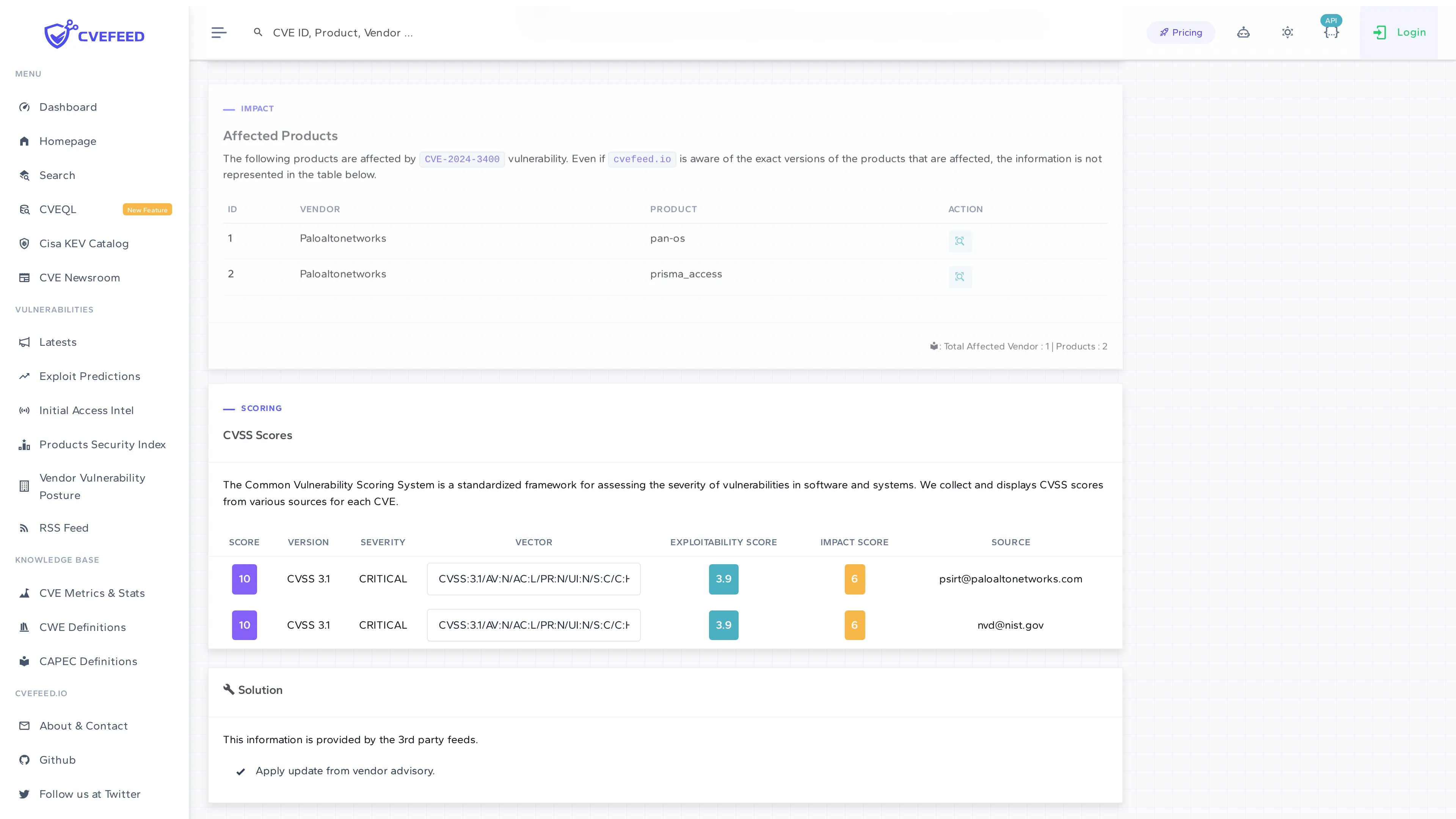
This is one of the fastest ways to subscribe to a product — when you’re reviewing a CVE and notice it affects software you use, click the button to start monitoring it immediately.
Vulnerability Search
The Search page lets you search the entire CVE database by keyword (CVE ID, product name, description text). The right sidebar provides filters to narrow results:
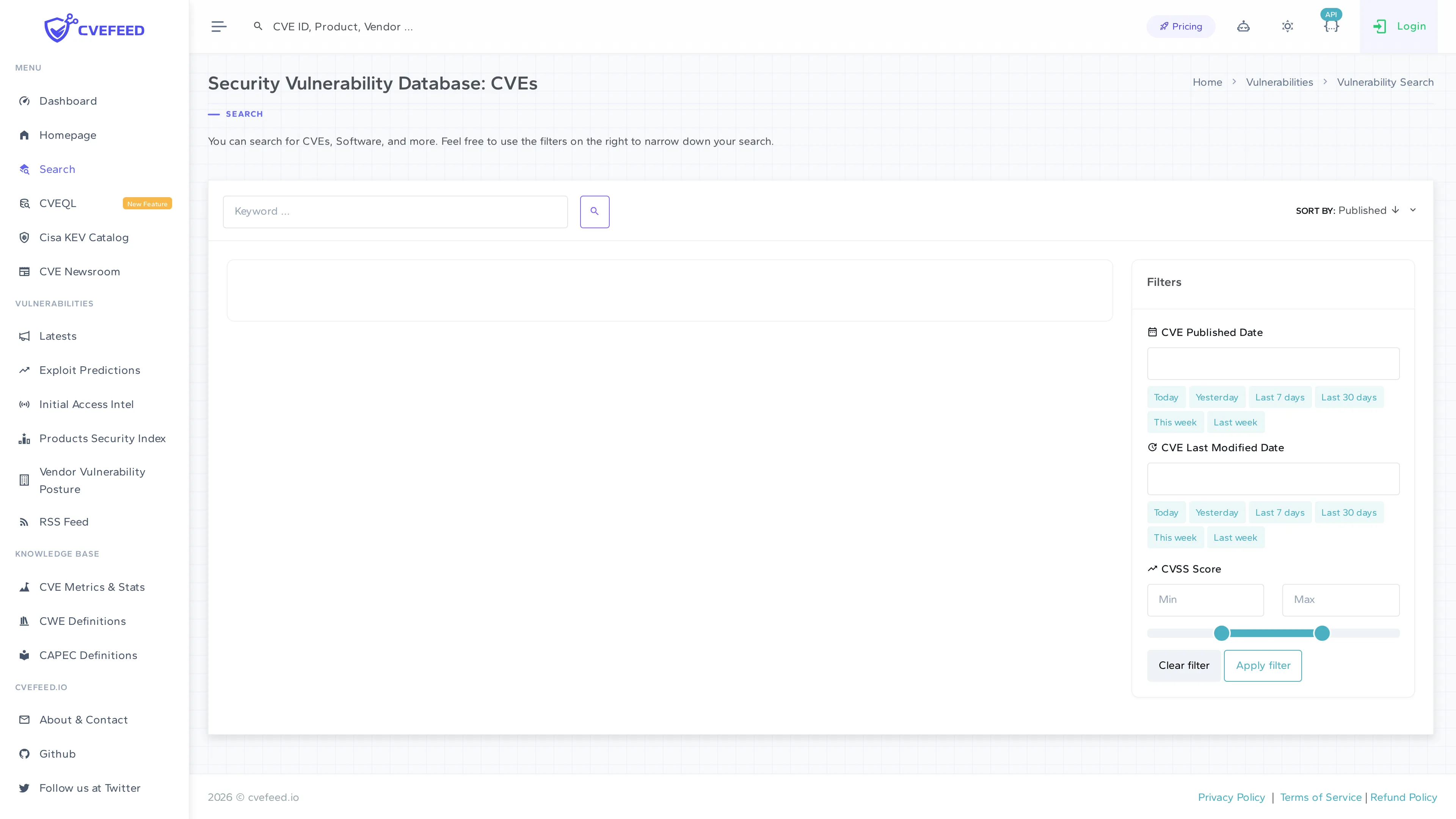
Available filters:
- CVE Published Date — quick presets (Today, Yesterday, Last 7 days, Last 30 days, This week, Last week) or a custom date.
- CVE Last Modified Date — same presets as published date.
- CVSS Score — min/max range slider to filter by severity score.
- Sort by — Published date (ascending/descending).
Data Sources and Enrichment
Each vulnerability record is enriched with data from multiple sources:
- CVE Records — the primary source for vulnerability records, descriptions, CVSS scores, and CPE product matching.
- EPSS (Exploit Prediction Scoring System) — a probability score indicating how likely a vulnerability is to be exploited in the wild within the next 30 days. Displayed on vulnerability and product detail pages.
- CISA KEV (Known Exploited Vulnerabilities) — flags CVEs that are confirmed to be actively exploited, with remediation deadlines.
- CWE (Common Weakness Enumeration) — categorizes the underlying software weakness (e.g., buffer overflow, SQL injection).
- CAPEC (Common Attack Pattern Enumeration) — describes attack patterns associated with the weakness.
- Public Exploits — counts of publicly available exploit code and proof-of-concept code from GitHub and other sources.