

Tech Stack Monitoring
Tech Stack Monitoring is the core of CVEFeed.io’s proactive vulnerability management. Instead of manually checking for new CVEs, you define the software products your organization uses and CVEFeed.io automatically alerts you when new vulnerabilities are published for those products.
Your tech stack is managed per-project, so different teams or environments can monitor different sets of software independently.
Ways to Subscribe to Products
CVEFeed.io provides multiple entry points to add products to your Tech Stack. You can subscribe from wherever you discover a product you want to monitor.
1. Tech Stack Management Page
The primary management interface. Navigate to Tech Stack Management from your project sidebar to see all your current subscriptions and add new ones.
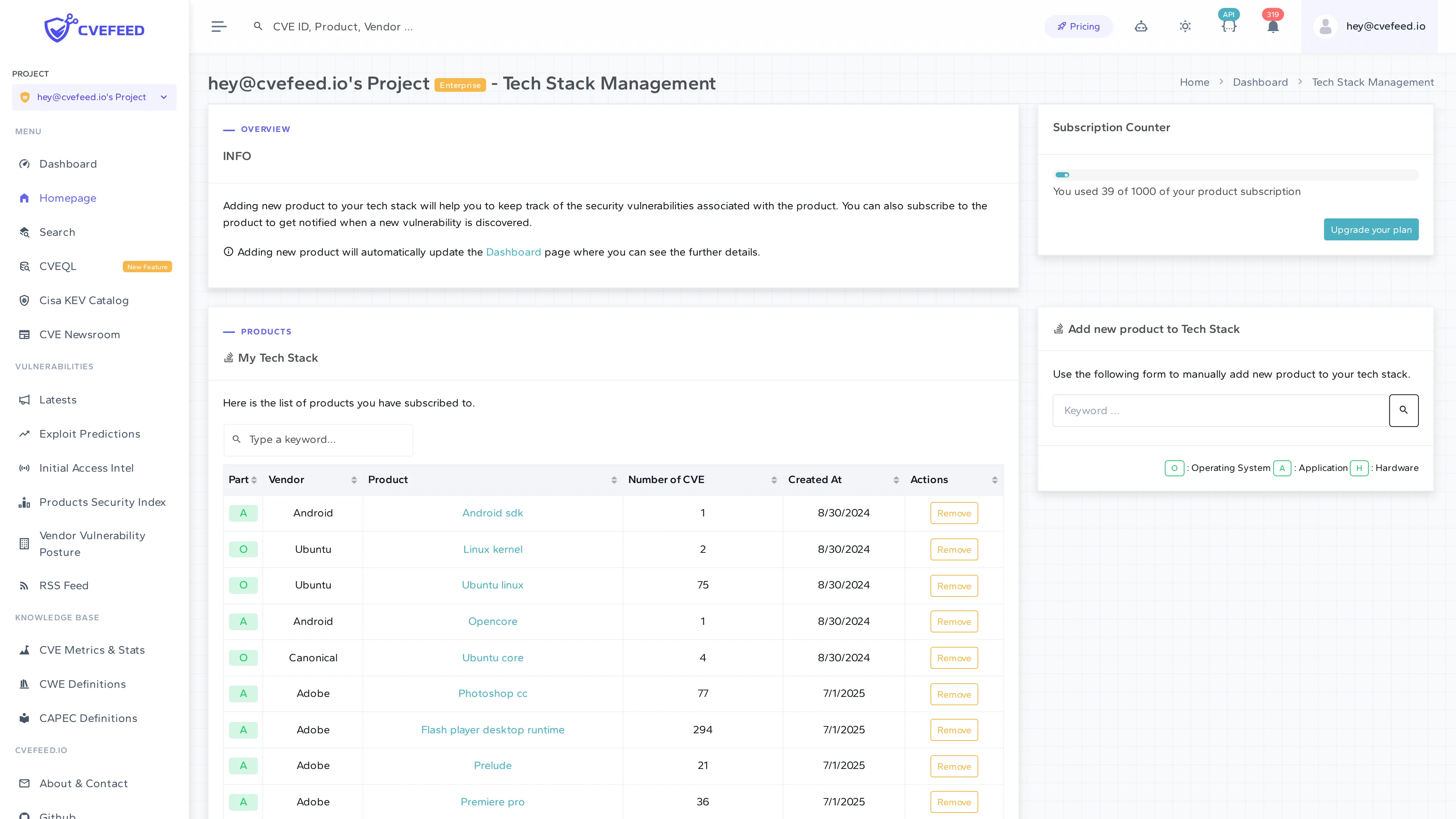
Use the Add new product to Tech Stack search form on the right side:
- Enter a keyword to search by vendor or product name.
- Filter by type — Operating System, Application, or Hardware.
- Select the product from the results.
- Click Subscribe.
The My Tech Stack table shows all subscribed products with their vendor, product name, number of associated CVEs, and subscription date. Click Remove to unsubscribe from any product.
The Subscription Counter at the top right shows your current usage against your tier limit (e.g., “You used 39 of 1000 of your product subscription”).
2. Vulnerability Detail Page — Affected Products
When reviewing a specific CVE, the Affected Products section lists every vendor and product impacted. Each row has an action button to add that product to your Tech Stack directly.
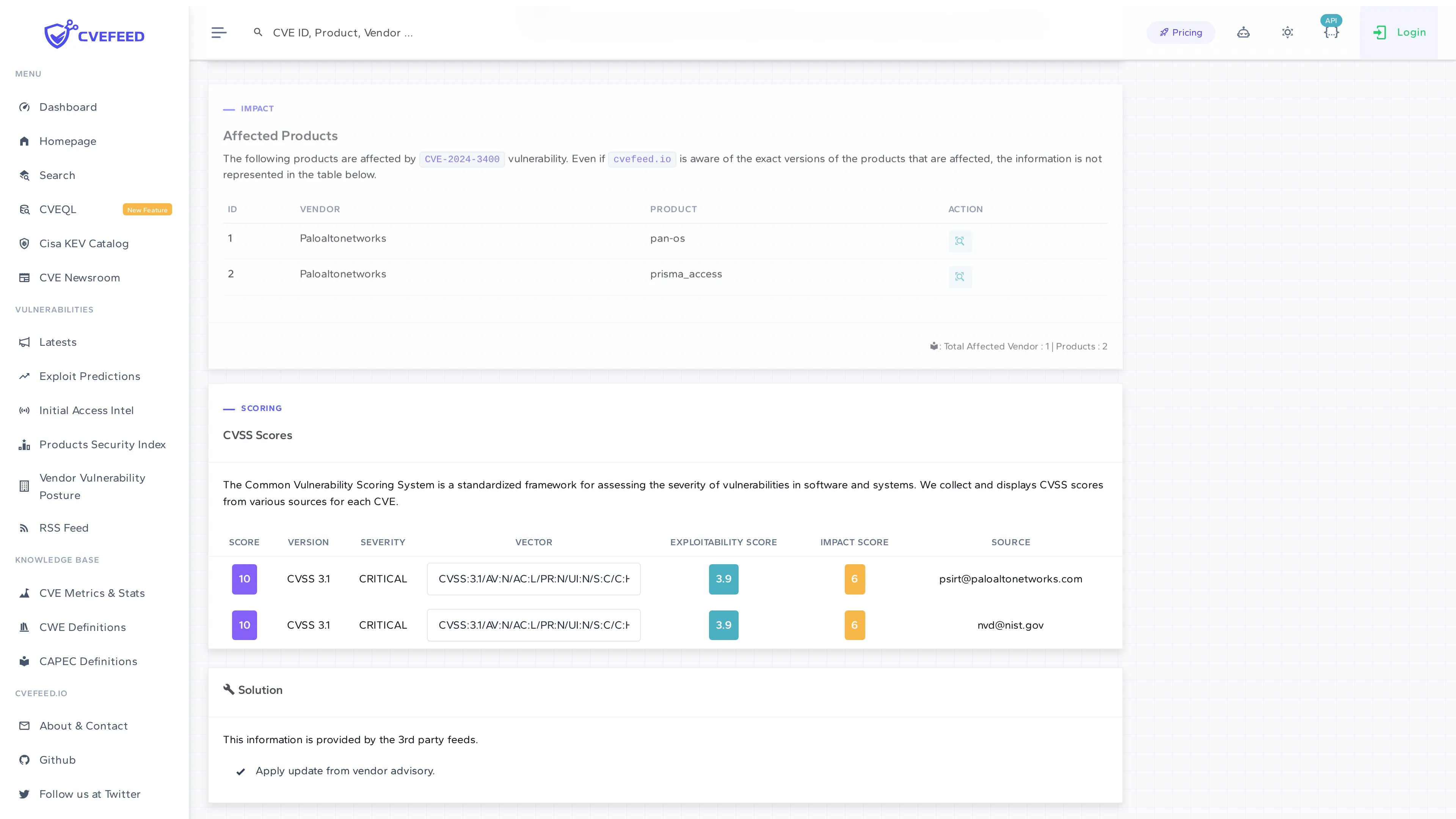
This is the fastest way to subscribe when you’re triaging a vulnerability and realize it affects software in your environment. One click and you’ll be alerted about future CVEs for that product.
3. Product Detail Page
Every product in CVEFeed.io has its own detail page showing vulnerability statistics, severity distribution, EPSS scores, and a chronological list of all CVEs affecting it.
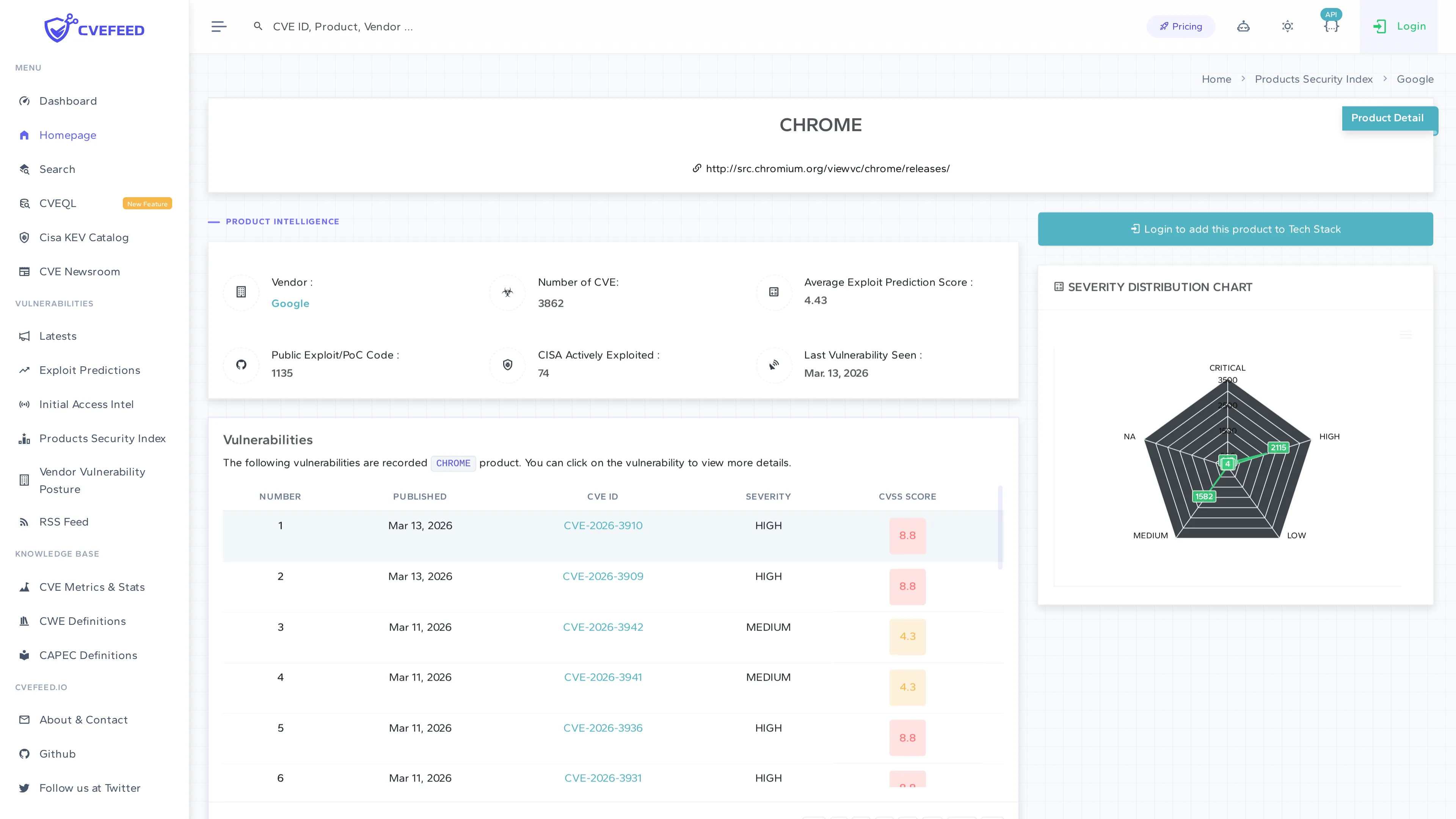
The product detail page shows:
- Product Intelligence — vendor name, total number of CVEs, average EPSS score, public exploit/PoC count, CISA actively exploited count, and the date of the last vulnerability seen.
- Severity Distribution Chart — a radar chart showing the breakdown across Critical, High, Medium, Low, and N/A severities.
- Vulnerabilities table — a paginated list of all CVEs for this product with publication date, CVE ID, severity, and CVSS score.
At the top of the page, the “Login to add this product to Tech Stack” button (or “Add to Tech Stack” / “Remove from Tech Stack” if you’re already logged in) lets you subscribe with a single click.
4. Vendor Detail Page
Vendor pages provide a high-level view of a vendor’s overall vulnerability posture. From here you can browse all of a vendor’s products and subscribe to individual ones.
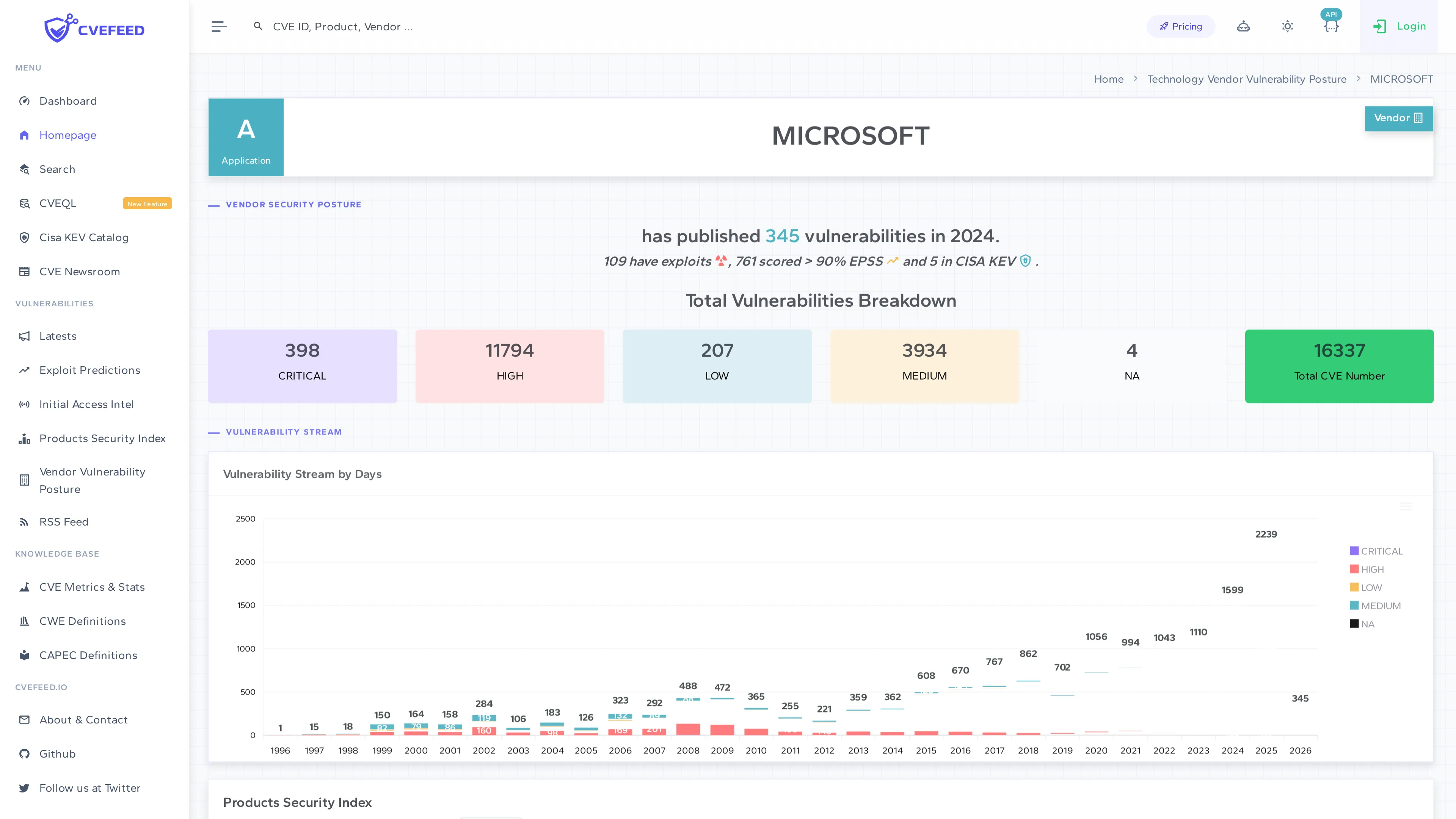
The vendor detail page shows:
- Vendor Security Posture — total vulnerability count for the current year, exploit count, EPSS high-score count, and CISA KEV count.
- Total Vulnerabilities Breakdown — severity distribution across Critical, High, Medium, Low, and N/A.
- Vulnerability Stream by Days — a historical chart showing CVE publication trends over the years.
- Products Security Index — a table listing all of the vendor’s products. Each product row includes action buttons to add or remove it from your Tech Stack.
5. Products Security Index and Vendor Vulnerability Posture
These are global browsing pages accessible from the sidebar:
- Products Security Index — browse and search all products in the CPE dictionary. Filter by name or first letter. Each product links to its detail page where you can subscribe.
- Vendor Vulnerability Posture — browse all vendors, view their vulnerability statistics, and drill into individual vendor pages.
Tech Stack Dashboard
The Tech Stack Dashboard (accessible from the project sidebar) gives you an overview of your subscribed products’ security status:
- Total subscribed vendors and products.
- Number of CVEs discovered in the last 90 days affecting your stack.
- Known Exploited Vulnerabilities (from CISA KEV) that match your subscriptions.
- Subscribed products distribution by vendor (pie chart).