

Activity Logs
Activity logs provide a chronological audit trail of every action taken within a project. Every change — from adding a product subscription to revoking an API token — is recorded with the actor, timestamp, target, and IP address.
This feature is designed for compliance, incident investigation, and operational visibility. When you need to know who changed what and when, the activity log has the answer.
Viewing the Activity Log
Navigate to your project’s Activity Log page. The log is displayed as a chronological table showing:
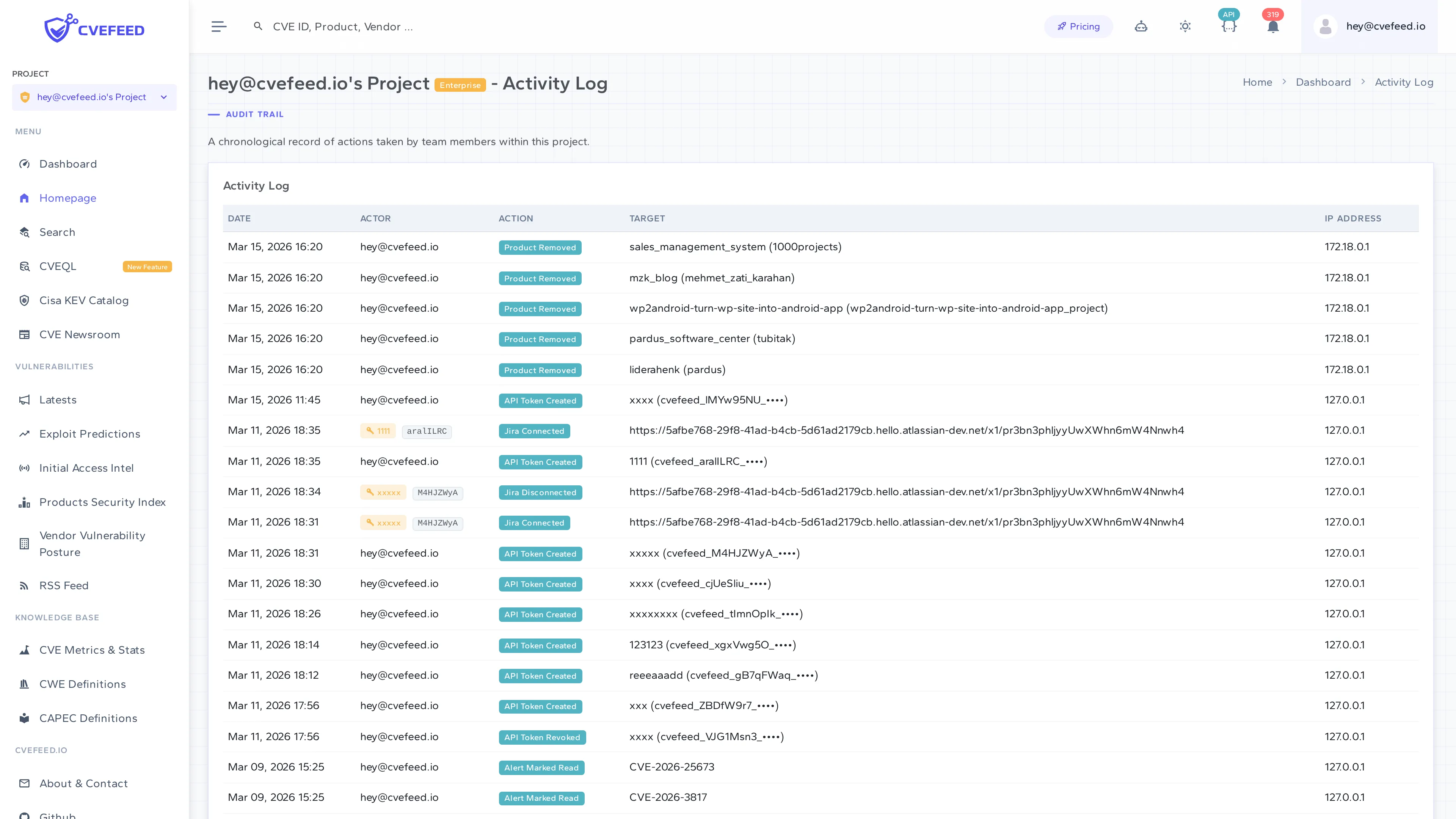
Each entry includes:
- Date — when the action occurred.
- Actor — which user performed the action (or the API token name and prefix if the action was performed via the API).
- Action — what type of action was taken (color-coded badges).
- Target — what was affected (e.g., product name, member email, token prefix).
- IP Address — the IP address of the request.
Availability
Activity log records are always written regardless of your subscription tier — no data is lost. However, the ability to view the activity log (both in the UI and via the API) is gated to the Enterprise tier.
| Tier | Logging | Viewing |
|---|---|---|
| Free / Starter / Pro | Records are written | Not accessible |
| Enterprise | Records are written | Full access via UI and API |
This means if you upgrade to Enterprise later, your full history will be available retroactively.
API Access
Activity logs can be retrieved programmatically:
GET /api/projects/{project_id}/activity-log/Requires a token with the activity_log scope and an Enterprise-tier project owner.