
Projects
A project is the top-level organizational unit in CVEFeed.io and the foundation of its multi-tenant architecture. Every resource in the platform — product subscriptions, alerts, API tokens, integrations, team members, and activity logs — is scoped to a single project. Nothing is shared between projects unless a user is explicitly a member of more than one.
Complete Project Isolation
CVEFeed.io follows a strictly isolated multi-tenant design. Each project operates as an independent workspace with its own:
- Product subscriptions — the set of software products being monitored for vulnerabilities.
- Alert pipeline — alerts are generated per-project based on that project’s subscriptions. An alert in Project A is invisible to Project B, even if both subscribe to the same product.
- Team members — each project has its own member list with independent roles. Being an admin in one project doesn’t grant any access to another.
- API tokens — tokens are scoped to a single project. A token created for Project A cannot access Project B’s data.
- Integrations — webhook endpoints, Slack connections, Jira Forge installations, and email recipients are all configured per-project.
- Activity logs — audit trails are recorded and displayed per-project.
This isolation is enforced at every layer — database queries, API authentication, permission checks, and the middleware that resolves the active project from the URL. There is no way to access one project’s data from another project’s context.
Why This Matters
This design makes CVEFeed.io safe for scenarios where separation of concerns is critical:
- MSPs and consultancies can create a project per client, ensuring that one client’s vulnerability data never leaks to another.
- Large organizations can create projects per business unit, product team, or environment (production vs. staging).
- Security teams can separate internal infrastructure monitoring from customer-facing application monitoring.
My Projects
The My Projects page shows all projects you own or are a member of. From here you can create new projects, open existing ones, or delete projects you own.
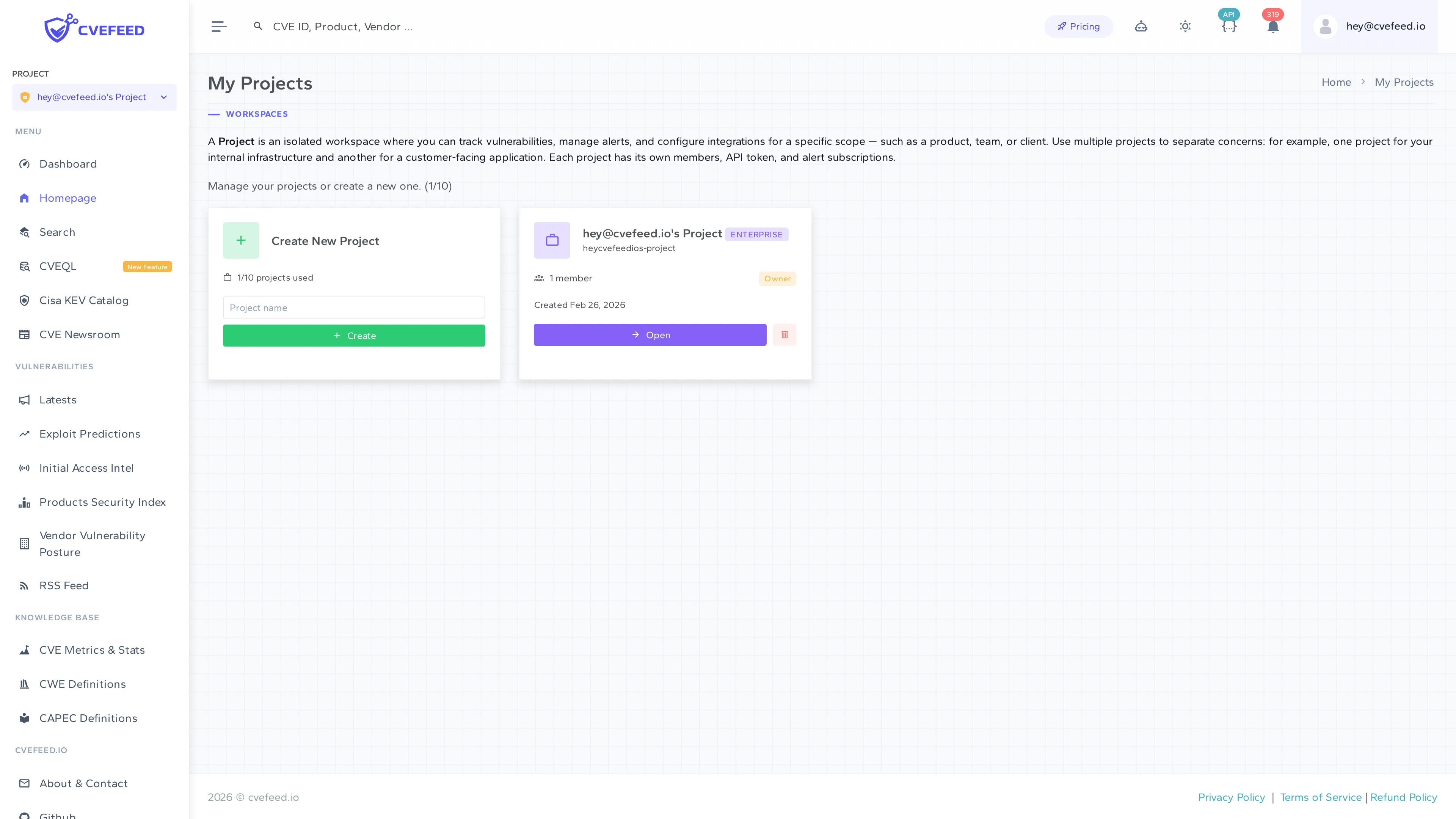
Project names are limited to 25 characters. A unique slug is auto-generated from the name and used in URLs. The project count displayed (e.g., “1/10 projects used”) reflects your tier’s project limit.
Project Limits by Tier
| Tier | Max Projects |
|---|---|
| Free | 1 |
| Starter | 3 |
| Pro | 5 |
| Enterprise | 10 |
Need more projects than your current tier allows? We offer tailored commercial arrangements for organizations with larger requirements. Get in touch with us to discuss your needs.
Project Dashboard
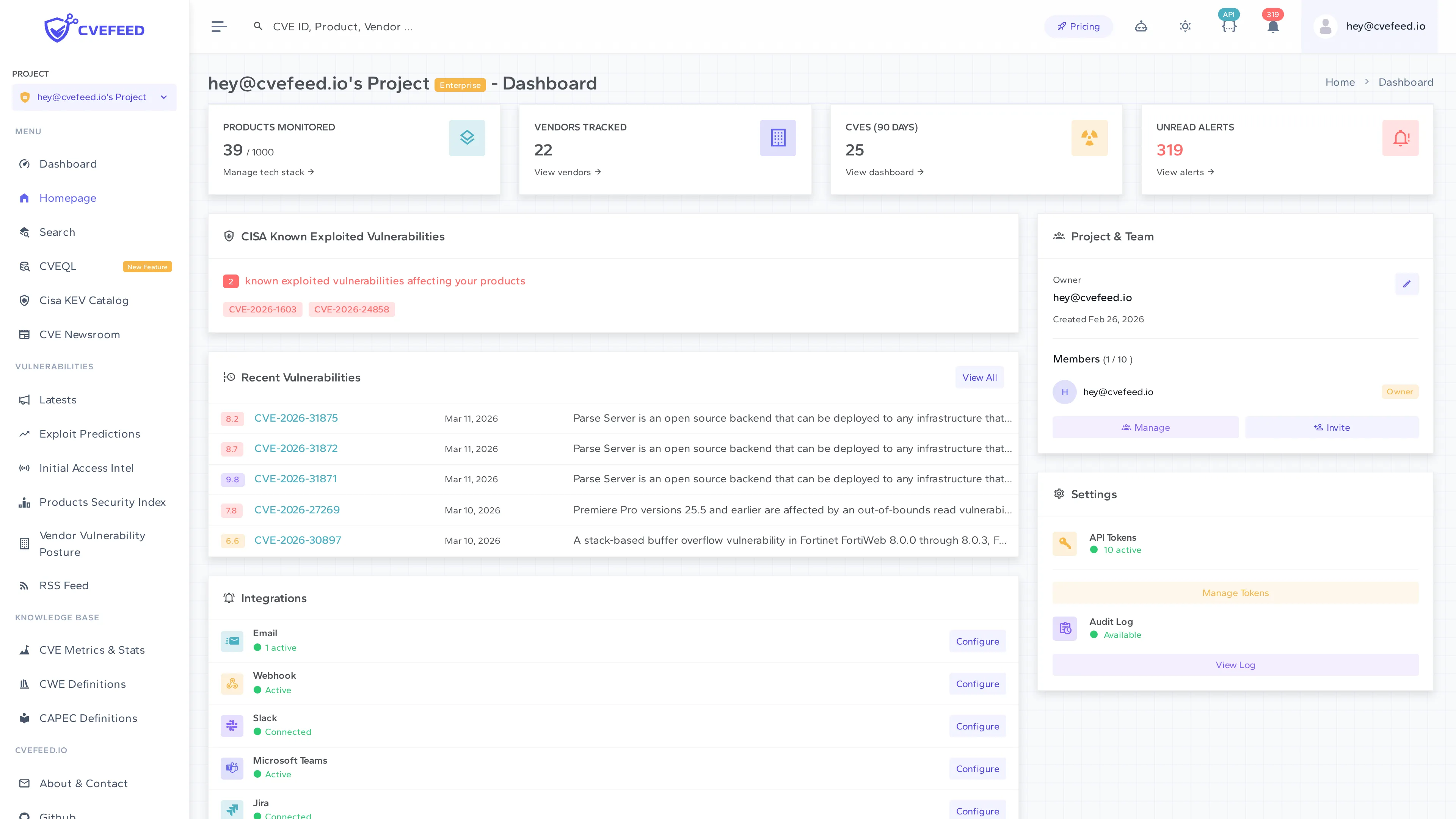
Once inside a project, the dashboard gives you a high-level view of your security posture within that project: total subscribed vendors and products, recent CVEs affecting your stack, CISA Known Exploited Vulnerabilities that match your subscriptions, and your team members.
Membership Roles
Each project member has one of three roles:
| Role | Capabilities |
|---|---|
| Owner | Full control — rename project, delete project, manage all members and roles, configure all integrations, create API tokens. One owner per project (enforced by a database constraint). |
| Admin | Day-to-day management — invite and remove members (except other admins or the owner), manage product subscriptions, configure integrations, create and revoke API tokens. |
| Member | View access — see vulnerability data, subscriptions, and alerts. Can toggle their own email notification preferences. |
The owner’s role cannot be changed through the UI. If the project owner needs to leave, contact support to arrange the ownership transfer.
Billing and Tier Relationship
All tier-based limits are scoped to the project owner, not individual members:
- Product subscriptions are counted across all projects a user owns, not per-project. See Subscription Limits for a detailed breakdown with examples.
- Member slots are per-project. The count includes active members, pending invitations, and custom email recipients — all share the same pool. See Subscription Tiers for limits by tier.
- Feature access (webhooks, Slack, Jira, activity logs, etc.) is determined by the project owner’s tier, not the individual member’s. A member on the Free tier who is invited to a Pro-tier project gets access to Pro features within that project.
Project Switching
The sidebar shows a project dropdown in the top-left corner. Click any project to switch to it — this updates your active project and redirects you to that project’s dashboard. The active project persists across sessions, so you’ll return to the same project when you next sign in.
Deleting a Project
Only the project owner can delete a project. You cannot delete your last remaining project — every user must own at least one. When a project is deleted, all its data (subscriptions, alerts, tokens, memberships) is permanently removed.
API: Project-Scoped by Design
The CVEFeed.io API mirrors this isolation model. Every API endpoint that deals with project resources requires a project_id in the URL path:
GET /api/projects/{project_id}/products/GET /api/projects/{project_id}/alerts/GET /api/projects/{project_id}/api-tokens/GET /api/projects/{project_id}/vulns/API tokens are bound to a single project at creation time. A token for Project A can only access projects/{project_a_id}/... endpoints — attempting to use it against a different project ID will be rejected.
At the time of this writing, there is no API endpoint to list or manage all projects from a single point. Each project must be managed individually through its own project-scoped API endpoints. Project creation, deletion, and member management are currently only available through the web UI. For full details on available API endpoints, see the API documentation.